
If breaking news hits and your site crashes under the traffic spike, or if a server glitch takes you offline in the middle of the night, every minute of downtime means lost page views, lost ad revenue, and readers pivoting to a competitor for updates. Some of which may not come back.
A dedicated monitoring service acts as your newsroom’s early warning system, checking your site 24/7 and instantly alerting your team the moment a server falters or an SSL certificate expires. Instead of finding out your site is down via social media or a sudden drop-off in realtime Google Analytics, an automated monitor gives you a critical head start to patch the issue, safeguard your hard-earned SEO rankings, and ensure your audience always has uninterrupted access to your journalism.
There are a number of different platforms that support website monitoring, but I wanted something with the following criteria:
- Low cost: Ideally free to start
- Multi-site support: Downtime monitoring for up to 5 websites
- Instant alerts: Email notifications included out of the box (Note: SMS notifications require a paid plan starting at $29/month, but Slack notifications are free. Alternatively, you could use Make to route alerts via Whatsapp Cloud API for almost nothing)
BetterStack ticks all these boxes while keeping setup practically painless.
Setting up a website monitor on BetterStack is incredibly straightforward, even if you’ve never done anything like this before. You don’t need to write any code or change any settings on your actual website. Think of it like setting up a friendly robot that checks your website every few minutes to make sure the front door opens.
Here is exactly how to set up your first monitor, step-by-step:
1. Create Your Free Account: (Takes about 1 minute).
Go to the BetterStack website and sign up. You can quickly create an account using your Google, GitHub, or any standard email address. You won’t be asked for a credit card.
There are paid features available, but you can get site monitoring with email notifications for free.
2. Navigate to the Monitors Dashboard
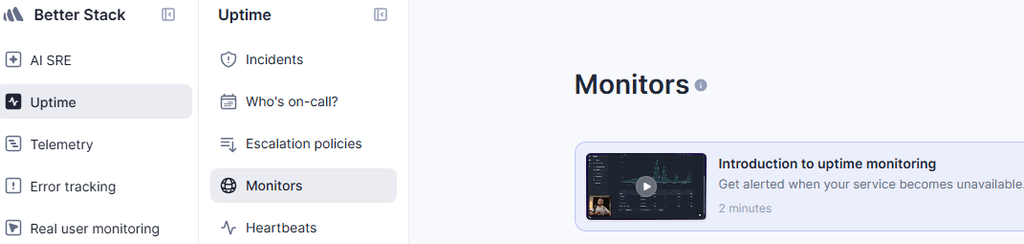
Once you log in, you will see a clean dashboard. On the left-hand sidebar menu, click on Monitors, and then look for the bright button in the top right corner that says Create Monitor.
3. Enter your website details
In the configuration window, fill out these three basic fields:
- URL to monitor: Type or paste your full website address (e.g.,
[https://lina.org.au]. - Alert us when the URL: Leave this set to Is not available (Uptime). This is the default setting.
- Name: Give it a friendly nickname so you recognize it instantly (e.g., “LINA website”).
4. Choose how you want to be notified
Scroll down to the Alerting & Escalation section. By default, your account email will be selected. This means Better Stack will automatically email you the exact minute your website stops responding.
5. Save and activate.
Scroll to the bottom of the page and click the Create Monitor button.
What Happens Next?
Once activated, Better Stack immediately pings your site and begins tracking response times.

To verify your monitor is working, look for the green Up badge next to your site’s name on the dashboard. You will also see live response-time graphs updating as checks complete.
For newsrooms with larger teams, you can expand this setup by adding phone call/SMS alerts, integrating a Slack channel for instant newsroom notifications, or publishing a public status page to keep your readers informed during planned maintenance.
Build trust with public status pages
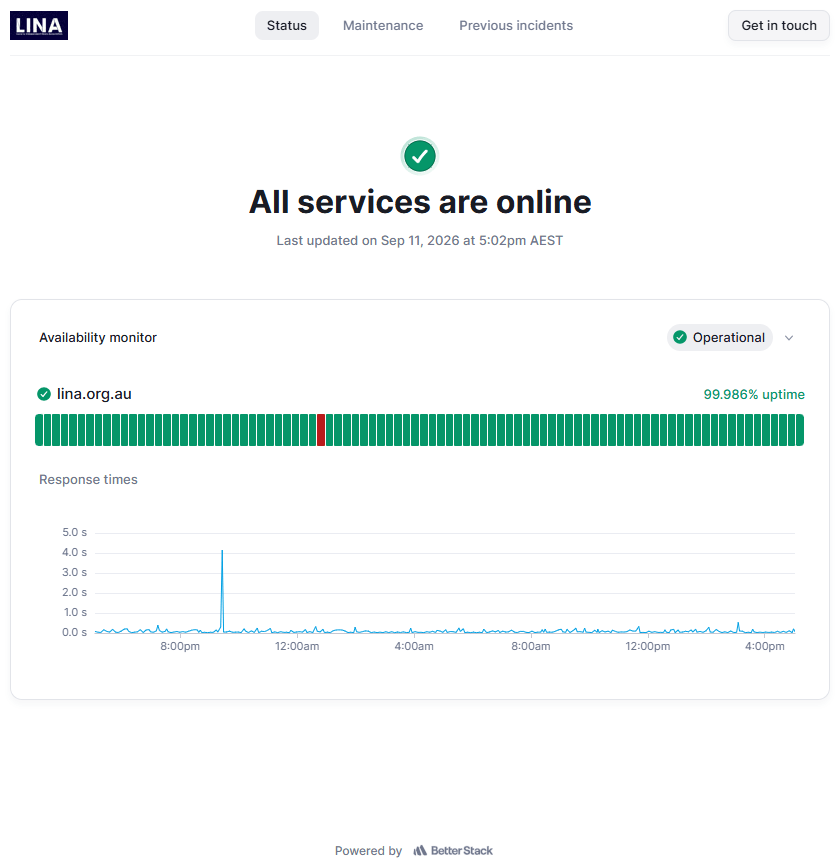
When an unexpected outage does occur, communication is everything. BetterStack lets you quickly launch a customisable, public status page hosted independently from your main site. Instead of leaving readers stranded with a blank screen or swamping your support team with frantic emails, a status page gives your audience real-time updates on ongoing incidents, scheduled maintenance, and resolution progress. It turns a technical headache into a display of transparency, reinforcing reader trust.
Taking five minutes to set up monitoring today ensures that when breaking news happens, your audience stays connected to your reporting without interruption. And from a brand perspective, knowing your site is down before a reader tells you is also a massive win!
It’s worth noting that there are other services like this available such as site24x7alerts, oneuptime and others – LINA uses BetterStack as it’s both free and dead-easy to use.